Showing posts with label TSB's. Show all posts

Saturday, October 10, 2015

2006 Chevy Silverado - Rattle in steering column


Question:

I have a 2006 Chevy Silverado and I have a ratling noise in the steering column. It only has 13,000 miles on it.You do not have to hit a bump to get it to rattle. It has not been wrecked. What could this be?

ANSWER:

There is a TSB on this that refers to the steering shaft as the cause of the problem. There is a new design that needs to be installed and should be covered under your warranty.

TSB #000235003N -- CLUNKING NOISE UNDER HOOD AND CAN BE FELT IN STEERING WHEEL AND/OR STEERING COLUMN (REPLACE UPPER INTERMEDIATE STEERING SHAFT [I-SHAFT] ASSEMBLY). *PE (NHTSA ID #10025148, APRIL 01 2008)

Sunday, April 5, 2015

Heater Blower Motor doesn't work in my 2007 Chevy Silverado


GM TRUCK
Inoperative blower motor.


The blower motor on some 2007 - 2008 Chevy Silverado and GMC Sierra extended cab and crew cab models built before 4/1/08 may fail to operate. If the fuse is good and the circuit up to the motor has power, says GM, the motor has probably failed. Water intrusion is the likely villain. Installing an upgraded blower motor with a new-design moisture shield (Part No. 25973845) should prevent further trouble.

Sunday, March 1, 2015

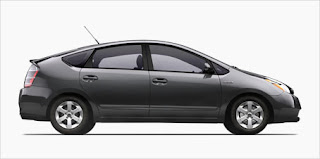
2007 Toyota Prius Window will not work after Battery Change


2007 Toyota Prius TSB #PG0003-06

If the battery terminal has been disconnected, the “one-touch open and close” and
“jam protection” functions of the driver’s door power window will be inoperative due to
loss of the driver’s door power window position memory stored in the microcomputer.
Initialization of the driver’s door power window will be necessary after the battery
is reconnected.

NOTE:
Any time the battery terminal has been disconnected, the power window MUST
be re-initialized.

Initialization
Procedure


1. Turn the ignition switch to the “ON”
position. At this time, the power
window switch for the driver’s door
window should be blinking.

2. Push down and hold the driver’s door
power window switch to completely
open the window.

3. Pull and hold up the driver’s door
power window switch until the window
closes. Continue holding the switch
for approximately one second until the
switch changes from blinking to a
constant illumination.

4. Check for proper operation of the
“one-touch open and close” by fully
pushing the switch “DOWN” once and
fully pulling the switch “UP” once.

NOTE:
Jam protection function becomes
effective through the above
initialization procedure.